
Hime Gyaru LoRA Guide: Prompts, Setup, and Model Choices
Hime Gyaru is a princess-inspired gyaru fashion style, and a Hime Gyaru LoRA teaches an image model to reproduce its lace, bows, pearls, curls, and pastel glamour. This guide compares the documented releases, gives a ComfyUI workflow, and separates verified trigger tags from guesswork.
View 5 referencesAllow the functional cookie to save your likes. Privacy details
What Is Hime Gyaru?
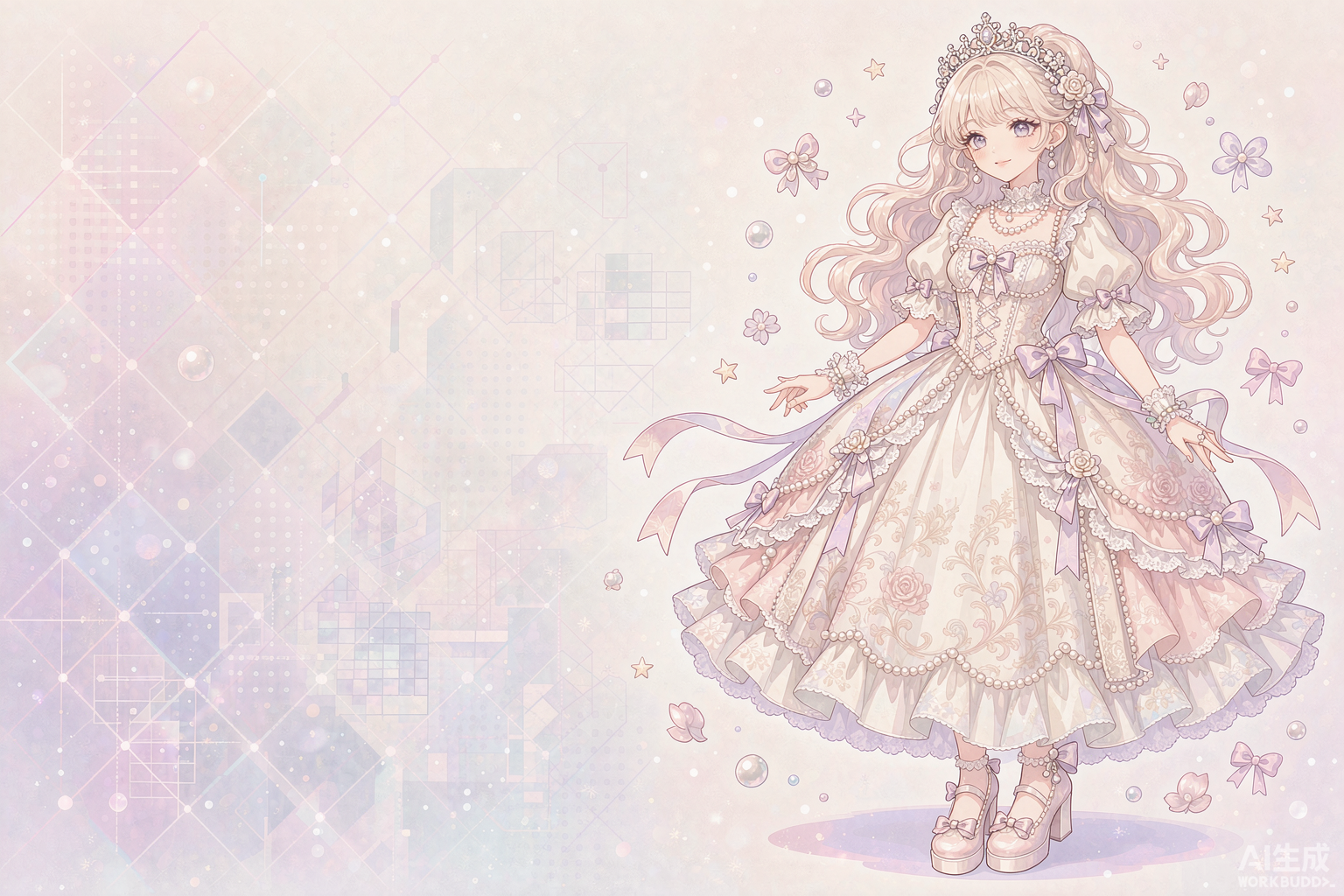
Hime Gyaru is a princess-inspired branch of Japanese gyaru fashion built on voluminous curls, lace, bows, pearls, pastel dresses, and polished eye makeup. A Hime Gyaru LoRA pushes an image model toward that visual language, so such outfits can be generated from short prompts instead of rebuilt word by word. (Gyaru Style)
The term combines hime, meaning princess, with gyaru. Published style guides describe the look as glamorous and coordinated: big loose curls or a teased crown, romantic dresses, soft pink or ivory palettes, feminine accessories, and eye-focused makeup. That makes Hime Gyaru a fashion style, not one fixed costume or a single named character.
What Does a Hime Gyaru LoRA Actually Do?
A Hime Gyaru LoRA is a small trained add-on that steers a base image model toward this fashion style without describing every garment in the prompt. The original LoRA paper says the method freezes pre-trained weights and injects trainable rank-decomposition matrices, greatly reducing the parameters needed for adaptation. (Hu et al., 2021)
In practice, the readable model listings describe a style effect rather than a character. The Illustrious release explicitly says it replicates a fashion style rather than a specific outfit; the SD 1.5 release says it generates images and clothing in the Hime Gyaru aesthetic. Expect the LoRA to bias clothing, hair volume, and decorative details, not to guarantee an exact dress.
Which Hime Gyaru LoRA Should You Use?
Pick the Hime Gyaru release that matches your base checkpoint family; the two documented lines are not interchangeable. The Illustrious build is a compact style LoRA, while the SD 1.5 build ships with a much longer tag list. A newer petalspop version also targets Illustrious, so check the version before downloading.
| Release | Base model | File size | Published trigger tags | Description on the listing |
|---|---|---|---|---|
| 【FASHION】Hime Gyaru (Illustrious) by AIadoreyou | Illustrious | 102.34 MB | hime gyaru, himegyaru; suggested: floral print, frills, bow, lace trim | A LoRA meant to replicate a fashion style rather than a specific outfit |
| Hime Gyaru (Kawaii Fashion Style) v1.0 by petalspop | SD 1.5 | 35.00 MB | hime gyaru, big hair, curly hair, large curls, makeup, lipstick, floral print, lace, bows, princess tiara, pearls, pink theme, white theme | Generates images and clothing in that aesthetic |
CivArchive lists the AIadoreyou release as created on 16 April 2025 and the petalspop v1.0 release on 10 June 2025; both pages show an update date of 24 November 2026. The same petalspop model has a v2.0 build listed on 17 November 2026 for Illustrious at 244.19 MB. Treat those dates as listing metadata, not as evidence of image quality.
How Do You Set Up Hime Gyaru in ComfyUI?
Load a compatible base checkpoint first, then apply the LoRA on top of it through ComfyUI's Load LoRA node. The official ComfyUI tutorial documents the folder layout and the node wiring, which is the safest way to reproduce a Hime Gyaru setup from a published workflow. (ComfyUI docs)
- Put the base checkpoint in
ComfyUI/models/checkpointsand the downloaded LoRA file inComfyUI/models/loras. - Add a Load Checkpoint node and select a checkpoint from the same family as your Hime Gyaru release.
- Add a Load LoRA node, connect its
modelandclipinputs, and select the LoRA file inlora_name. - Set
strength_modelto control how strongly the style affects model weights andstrength_clipto control its effect on CLIP text embeddings. Queue the prompt and compare outputs before changing other settings.
What Prompt Tags Bring Out the Hime Gyaru Look?
Start with the exact trigger words printed on the model page, then add only the attributes you actually want. For Hime Gyaru, the published tags cluster around hair volume, decorative clothing, and a soft palette; the Illustrious listing calls its extra tags suggestions that can be removed or changed.
- Core triggers from both lines:
hime gyaru,himegyaru. - Illustrious suggested tags:
floral print,frills,bow,lace trim. - SD 1.5 trigger set includes
big hair,large curls,puffy sleeves,ruffles,lace,hair ribbons,(princess tiara),pearl,necklace,pink theme, andwhite theme. - A compact prompt could be:
hime gyaru, himegyaru, floral print dress, frills, bow, lace trim, voluminous curls, pearl hair ornament.
That prompt is a starting point, not a promise. Because the Hime Gyaru listings describe a style rather than a fixed outfit, negative results usually come from a mismatched base model, tags that contradict each other, or a strength that overwhelms the composition.
Why Is Hime Gyaru Different from Hime Lolita?
The two styles share princess imagery, but they come from different fashion systems and produce different silhouettes. Hime Gyaru grows out of gyaru styling and keeps the glamour, heeled shoes, and visible shoulders associated with that scene; Lolita fashion relies more on petticoats and fuller coverage.
For prompt writing, the distinction matters. If you want that look rather than a Victorian doll look, emphasize loose curls, a fitted or A-line dress, bows, pearls, and gyaru-style eye makeup rather than only adding lace. The style guide describes modern Hime Gyaru as a wearable interpretation, so prompts do not need an enormous hairstyle in every image.
What Are the Limits and Licensing Caveats?
The readable Hime Gyaru mirror pages do not expose complete license text, so do not assume commercial permission from a download link. Several mirrored model pages are also flagged NSFW, and download counts or review scores shown there are listing metadata that can change; verify the original Civitai page before reusing a file.
A LoRA also cannot fix a weak base checkpoint or replace prompt clarity. The ComfyUI documentation explains that strength_model and strength_clip change how much the LoRA influences weights and text embeddings, which means a Hime Gyaru result is a joint product of model, LoRA, and prompt. If the output drifts into generic pastel fashion, revisit those three inputs.
FAQ
These Hime Gyaru questions cover the practical decisions readers face after choosing a model: base-model compatibility, whether decorative tags are mandatory, and how to set LoRA strength. Each answer stays within what the readable model pages and ComfyUI documentation actually state, so you can reproduce the setup without relying on unverified numbers.
Do I need a special base model for Hime Gyaru?
Yes, match the family named on the release: Illustrious for the AIadoreyou build and the petalspop v2.0 build, SD 1.5 for petalspop v1.0. A LoRA is applied on top of a base checkpoint, so loading the wrong family is the most likely reason a Hime Gyaru prompt produces no visible style change.
Can I use Hime Gyaru without a tiara?
Yes. The Illustrious listing says the suggested tags strengthen the outfit and can be removed or changed. Keep the core trigger if you want the style bias, but drop (princess tiara) when you want a simpler look; curls, bows, lace trim, and pearls still carry the Hime Gyaru signal.
How strong should the Hime Gyaru LoRA be?
Start with a moderate strength_model and adjust in small steps. The readable model pages do not publish a single universal weight, and ComfyUI notes that higher values make the style stronger. Compare the same Hime Gyaru prompt at two or three settings rather than assuming the maximum will look best.
Bottom Line
This is a defined fashion style with documented LoRA releases, not a generic pastel prompt. Use the trigger tags from the exact version you download, match its base model, and treat Hime Gyaru output as a style bias that still depends on prompt and strength. Check licensing on the original listing before any commercial use, and verify page metadata again because model versions change.
References
- Hime Gyaru: 11 Regal Style Secrets for a Royal Japanese Lookgyarustyle.com
- 【FASHION】Hime Gyaru (Illustrious) - CivArchive listingcivarchive.com
- Hime Gyaru (Kawaii Fashion Style) v1.0 for SD 1.5 - CivArchive listingcivarchive.com
- LoRA Models in ComfyUI: Install, Load, and Apply Stylesdocs.comfy.org
- LoRA: Low-Rank Adaptation of Large Language Models (arXiv:2106.09685)arxiv.org