
LoopForge Guide: Self-Hosted, Repeatable Coding-Agent Delivery with Human Approval
LoopForge is Tencent's open-source, self-hosted workspace for shipping software with coding agents. Chat with Main Bot for quick work, or run a repeatable SOP with fixed roles, scripts and human approval gates. This guide covers setup, the five SOP nodes, all ten CLI executors, cost and security limits, and when to use each mode.
View 3 referencesAllow the functional cookie to save your likes. Privacy details
What is LoopForge?
LoopForge is an open-source, self-hosted workspace from Tencent where a team ships software with coding agents, under the MIT license on your own infrastructure. Describe a request to Main Bot in chat: it opens a Docker sandbox, checks out your repositories, delegates to project roles and opens a pull request. LoopForge adds roles, sandboxes, checkpoints and history around those agents.
LoopForge does not write code itself and includes no model of its own; it orchestrates the coding-agent CLI you already use and wraps it in a repeatable delivery process. Per the official README, it supports ten executors and runs on infrastructure you control.
Why teams adopt the platform
A single "fix this bug" prompt gives a different result each run: the plan may be skipped, tests forgotten, or code reviewed by itself. LoopForge separates planning, implementation, review and testing into distinct roles, each with its own prompt, executor, model, rules, Skills and MCP tools. Because the engine runs steps in order and records node status, tool traces and artifacts, a run can be paused, retried or resumed from any node rather than starting over.
How do Chat with Main Bot and Run an SOP differ?
LoopForge offers two ways to work: Chat with Main Bot for exploring and iterating, and Run an SOP for repeatable delivery with fixed stages and sign-off. Both track the same requirements, so every change links back to what was asked and counts toward delivery and cost reports.
| Chat with Main Bot | Run an SOP | |
|---|---|---|
| Best for | Exploring, quick fixes, iterating | Repeatable delivery with sign-off |
| How it runs | Sandbox workspace on demand, calls roles as subagents | Agent, Script, Human-gate and sub-SOP nodes in order |
| You stay in control by | Steering messages; pausing or taking over | Approving at gates, sending back, retrying any node |
| Delivers | A PR/MR or a direct merge (mode=direct) |
Docs, code or a PR plus per-node artifacts and logs |
When should you use chat versus an SOP?
Use Chat with Main Bot to explore, fix something quickly or iterate; Main Bot can still open a PR. Once a way of working proves itself and you want every requirement to follow fixed reviewers, tests and sign-off, move it into an SOP. Main Bot can start, pause and take over SOP runs, so the two paths work together rather than competing.
How do you install and configure LoopForge?
LoopForge installs with a shell script on a machine running Docker, Compose, Python 3 and curl. Run ./start.sh, open the printed address and create an account; the first one becomes administrator. By default LoopForge listens on 0.0.0.0:8090, so restrict access before exposing it.
- Clone and start:
git clone https://github.com/Tencent/LoopForge.git && cd LoopForge && ./start.sh. The installer checks prerequisites, pulls the pinned image from ghcr.io, creates the services and seeds built-in sandboxes and starter SOPs. - Create the admin account: open the printed address and register; the first account is the administrator (README).
- Add credentials: in the quick-access guide, add a model key for your chosen executor, connect a repository and pick an SOP.
- Configure Git: GitHub needs an API token for PR and Issue automation; for GitLab, Gitea or Gogs, set up Git SSH with a personal key.
You can try it without a key: the demo SOP uses only a script and a human gate.
What are the five SOP node types in LoopForge?
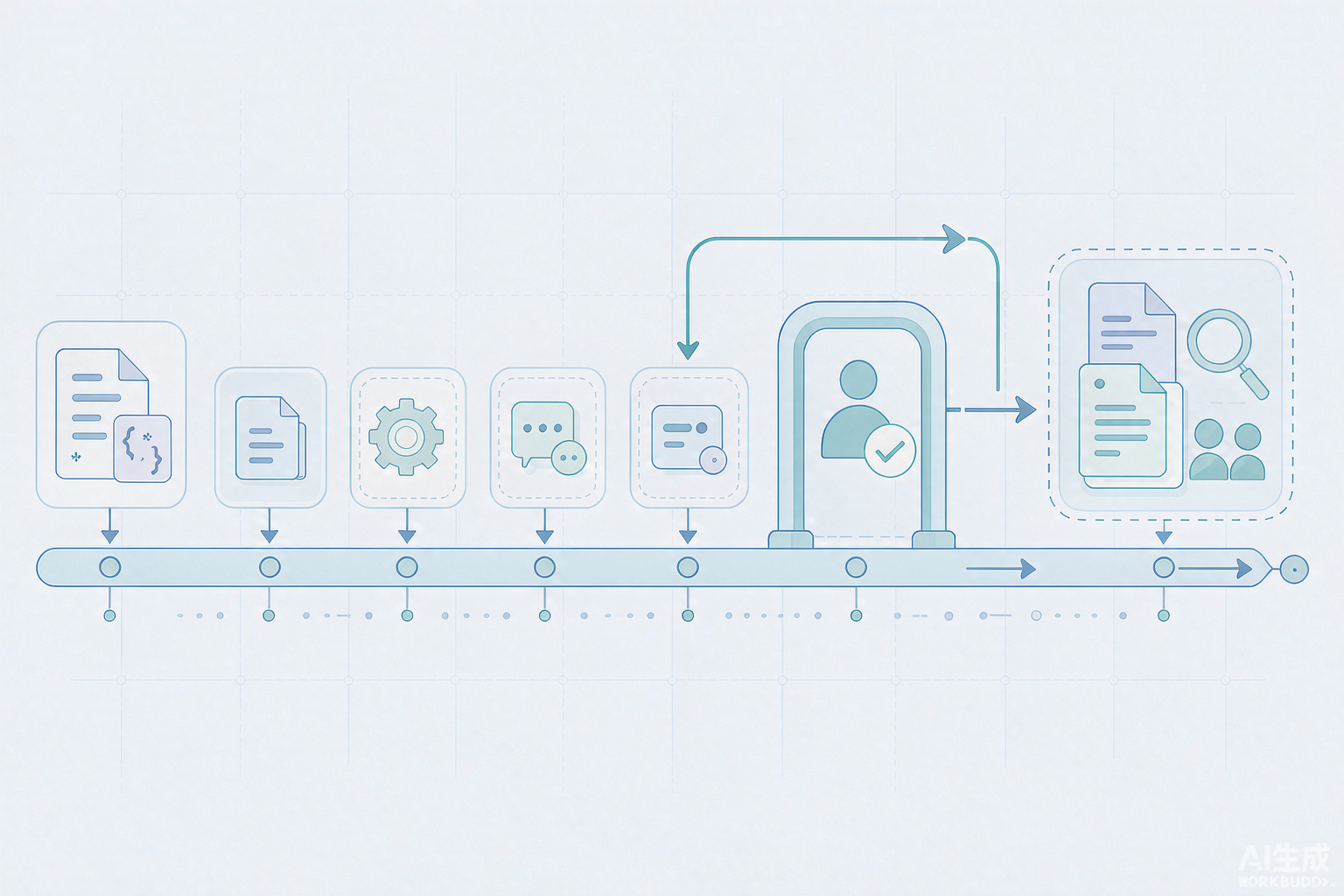
LoopForge SOPs are built from five node types: Agent, Script, Human gate, Sub-SOP and Preview build. Each node declares its artifacts and dependencies, and the engine starts a step once its dependencies complete. LoopForge ships read-only built-in SOPs you copy into your project to edit and run.
| Node | What it does |
|---|---|
| Agent | A role (prompt, executor, model, rules, Skills, MCP tools) that designs, implements, reviews or tests. |
| Script | A deterministic shell step: build, test, lint or generate a report, with no AI where AI is not needed. |
| Human gate | Pauses until someone checks artifacts and approves, or sends work back to a chosen step. |
| Sub-SOP | Runs another SOP as a sub-workflow. |
| Preview build | Builds a static site and archives it for review. |
The built-in blueprints are backend delivery, frontend delivery, product proposal and bug fix (README). A failed check can send the run back to an earlier step, so the workflow keeps review and acceptance explicit instead of trusting the implementing agent.
Which coding-agent executor should you choose in LoopForge?
LoopForge treats ten coding-agent CLIs as interchangeable executors: CodeBuddy, Codex, Claude Code, OpenCode, Cursor CLI, Antigravity, Kimi Code, Pi, DeepSeek Harness and ZCode. LoopForge does not replace them; each agent step runs one of them. Pick the CLI whose subscription or API key you already hold.
How roles map to executors
Every role in a SOP can choose its own executor, model, rules, Skills and MCP tools, so a planning role and an independent reviewer can use different CLIs. Chat conversations likewise let you pick the executor, model and permission mode per conversation. This separation is a main reason LoopForge is chosen over running a single CLI directly.
What does LoopForge cost, and where are its limits?
LoopForge itself is free and MIT-licensed, with no per-seat platform fee. The costs are what you bring: a subscription or API key for the coding-agent CLI, your own server, and model usage, which LoopForge does not include. LoopForge links changes to requirements that count toward delivery and cost reports.
What the platform does not provide
It writes no code and ships no model; it is an orchestration layer, and it does not host a service for you. There is no published performance guarantee in the README, so treat throughput as dependent on your executors and hardware. Model pricing is set by your provider, not by LoopForge, and is not bundled with the platform.
Is LoopForge safe to expose to the internet?
New LoopForge installations listen on all interfaces and are built for a trusted team, not the open internet. Restrict access to your own IP until the administrator account exists, then place an HTTPS reverse proxy in front and allow the port in your security group. LoopForge expects you to own that perimeter.
Because sandboxes start through the host Docker socket, the team running it must be trusted; treat the server as part of your trusted environment. Report vulnerabilities privately through the project's security policy rather than in a public issue.
Team collaboration risk checklist
- Restrict the listening port to your own IP until the first administrator account is created.
- Terminate TLS with an HTTPS reverse proxy before any remote access.
- Use separate executors and rules for implementer and reviewer roles so no single agent approves its own work.
- Keep human gates on anything that merges to a shared branch.
- Treat sandbox Docker-socket access as a trust boundary; do not expose the service to untrusted users.
LoopForge Local vs. the platform: which should you use?
LoopForge Local is marked Legacy; the platform is the active path for teams sharing chat workspaces, SOPs, approvals and history. Local still runs built-in workflows inside a coding assistant without a server, but it needs Node.js 20+ and Python 3.8+ rather than the platform's Docker plus Python 3.
| Platform | Local (Legacy) | |
|---|---|---|
| Best for | Teams sharing chat, SOPs, approvals | One developer in an IDE or CLI |
| Needs | Docker + Python 3 | Node.js 20+, Python 3.8+, a coding assistant |
| Workflows | Chat with Main Bot + custom SOPs | Built-in Classic / Portable workflows |
| Evidence | Shared run details and metrics | Artifacts under artifacts/{task_slug}/ |
Previously published LoopForge Local (loopforge-cli) versions remain available, and the Local guide covers installing a fixed version. To use platform projects and SOPs from a coding assistant, connect CodeBuddy to your instance over MCP. The repository now marks LoopForge Local as Legacy.
Frequently asked questions about LoopForge
These are the questions teams ask before adopting the platform: whether a key is needed, whether GitHub is required, when to choose chat or an SOP, how LoopForge compares with general workflow builders and coding CLIs, and whether it is safe to expose. The short answers follow.
Do I need an API key to try LoopForge?
No. The demo SOP uses only a script and a human gate, so you can evaluate the platform without credentials. Chat turns and agent steps do need a key for the executor you pick, and model usage is not bundled; you bring your own credentials (README).
Do I need GitHub to use LoopForge?
No. Chat, documents and new projects run in the task workspace. Connect GitHub only when you want to change an existing repository or open pull requests; other Git hosts work through SSH keys or MCP.
Should I use chat or an SOP in LoopForge?
Use chat to explore and iterate; Main Bot can still open a PR. When you want every requirement to follow the same reviewers, tests and sign-off, encode that as a SOP. LoopForge lets Main Bot start, pause and take over SOP runs, so the two modes complement each other.
How is LoopForge different from Dify, n8n or Flowise?
Those are general-purpose AI and automation builders. LoopForge is purpose-built for software delivery with coding agents: implementer and reviewer roles, Docker sandboxes with real repositories, GitHub delivery, human acceptance gates and run evidence.
How is LoopForge different from using a coding CLI directly?
LoopForge does not replace Codex, Claude Code or CodeBuddy; it orchestrates them. Each step runs one of those CLIs, while the platform decides who does what, in which sandbox, in what order, with which checks and who signs off.
Is it safe to expose LoopForge to the internet?
Not by default. New installs listen on all interfaces and target a trusted team. Read the account and access model, restrict access and configure HTTPS before opening it up, and report vulnerabilities privately through the security policy.